The Canute Console
Building on the Canute 360’s original 9-line capabilities, the Canute Console opens up a whole new world of multiline Braille technology.
Built for co-working, the Canute Console has a two-part hardware system, synchronising a high contrast 13" monitor to a 360 cell Braille display and adding a retractable QWERTY keyboard meaning more graphical capacity, more co-working potential and a product that can be used at home or in the office, from gaming to spreadsheets!
At its line capacity, the Canute Console is the most affordable Braille display on the market, priced between £2,495 and £4,995.
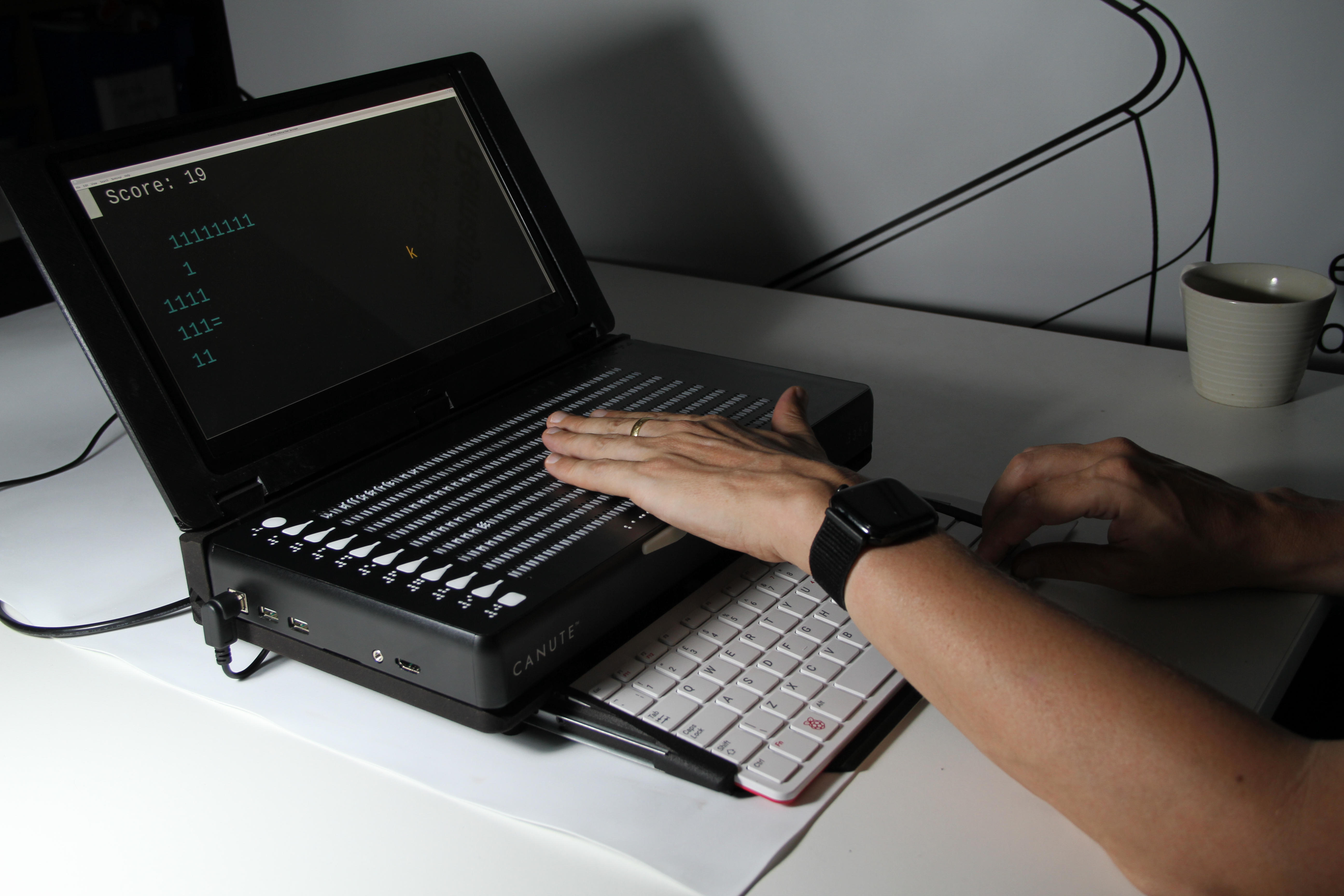
Pushing the boundaries of tactile graphics
The Console opens up a world of city maps, diagrams, video games and even sports matches. Using Braille characters as symbols, you can create whole tactile worlds and experiences that were previously inaccessible by touch. The Console, quite literally, is expanding the boundaries of tactile graphics, one city map at a time.
With the National Centre for Accessible Transport, we're developing dynamic tactile maps of public transport networks. The first release will be available to existing Console owners from October.
Our diagramatic, graphing and mathermatical tools have never been better. We are now working with Vision Through sound to create a complete package for higher-level mathematics on the Canute Console. > 'If you are looking at mathematical things and numerical things, the Canute Console is very good in that you can follow things through, get a real feel for what is displayed' - **Dr Norman Waddington, Canute Console Owner** 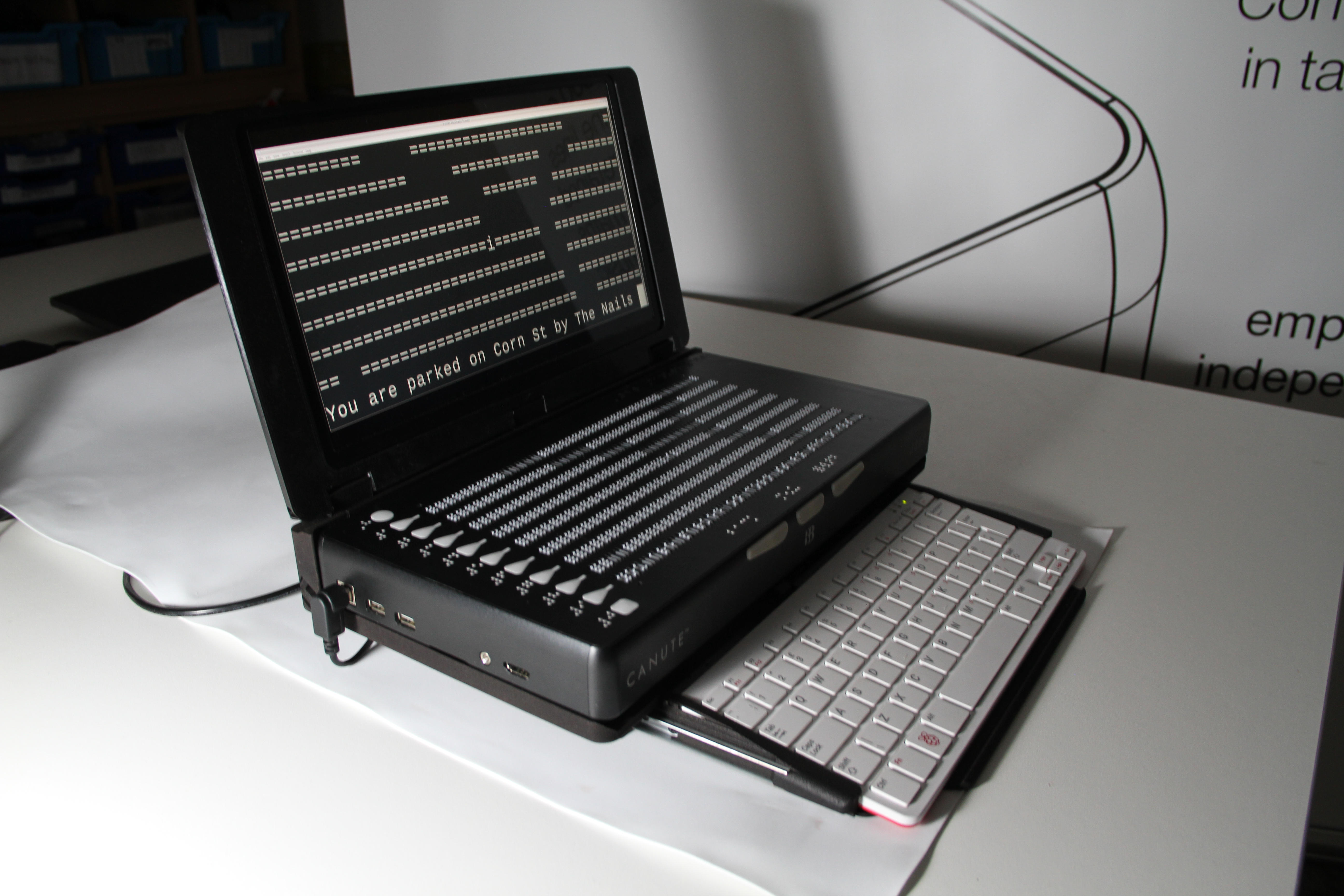 ## **The best way to read and edit documents in Braille** Download and edit documents, Braille files and tables from the web, company shared drives or USB stick and edit them on the Canute Console. Type on a Qwerty keyboard which pulls out on a tray under the display and tucks away when you want to read without your wrists pressing keys. A luxurious 360 cells of Braille that maintains print white-space and centring and lets you read multiple columns of text or numbers. You can even edit two different documents at the same time, next to each other, on the same Braille display and still have 160 cells per document. With the Canute Console as your workstation you can write better, review better, and you can collaborate better. ## **Co-working has never been simpler!**
With a synchronised visual monitor and Braille display and the capacity to view two documents at once sighted and blind users can recieve the same information at once.
The Canute Console comes with a new-and-improved workflow for everyday use, making collaboration and co-working easy and accessible. Whether using it in the office, university or for a collaborative project, the Console provides co-working capacity at a fraction of the usual cost.
Recently we have released a dynamic Excel/CSV viewer, maximising on-display information, tested with real-world budgets, data logs and statements. Administration work has never been so accessible! > 'They need to be used in the school setting, university, higher education and employment. Where there are gateways into employment, that is absolutely crucial. People need to understand the Canute Console's place in the market.’ **- Roger Firman UK Association of Accessible Formats & British Standards Institution & Canute Console Owner.** 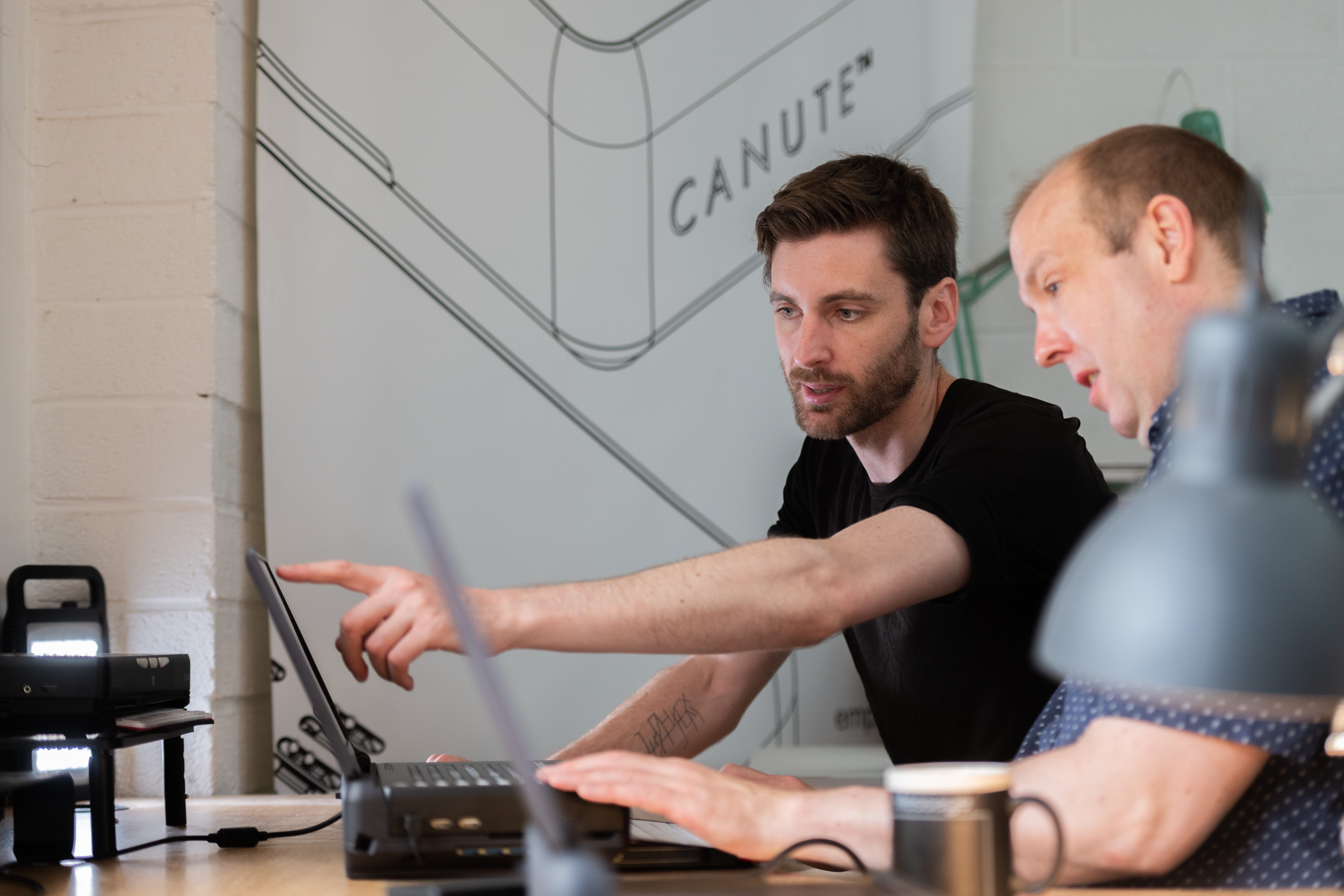 ## **The Canute Console Premium is designed by us, for you**
Our Canute Console Premium package comes with custom application development, giving you the ability to personalise the Canute Console to your needs. Previous developments have included real-time stock market viewers, astromoy maps and video games.
All applications developed for the Canute Console are open-source, meaning you can access any application we've developed for the device, from dungeon explorers to tactile maps! We've got a full list down below.
## **Access our full brochure by requesting it** [here](https://mailchi.mp/24889aa416d3/request-a-brochure)
Specifications and Applications
Hi Ed, will be the same here, check the specs and applications that are marked.
| Specifications | |
| -------------- | ------- |
| Hardware | Two-part and detachable a high contrast 13" monitor and a QWERTY keyboard syncs to a 360-cell Braille display |
| Pins | Nine-lines, 40-cells of hard-signage quality pins |
| Cells | 360 cells of Braille that maintain print white-space.
| Accessibility | Text-to-Speech functionality and touch Gesture recognition |
| Connectivity | Wifi, USB, SD and Bluetooth® connections for thumb drives, keyboards and headsets***** |
| Outputs | High-tech stereo speakers |
| Other Features | Runs on Raspian (Debian-based), including the BRLTTY screen reader and many custom tools developed by BBT to create and visualise data|
| Weight | 8lbs |
| Dimensions | 15″ x 8″ x 2″|
| Languages | All, with mannuals in English, French, Spanish, Arabic, German and Dutch |
| Tables | Over 250 onboard braille tables, including learning Braille tables (Duxbury & Liblouis)****** |
| Accessories | Custom-manufactured case with the premium version |
| Design | Ergonomically designed for braille readers. |
| Applications| A multitude of applications, some specifically designed for the Canute Console |
| Applications | |
| ------------ | --------- |
| Micro | Text editor for programming and word processing. Also available, all the usual Linux text editors, vi, nano, emacs. |
| Cities Through Braille | Top-down city exploration map game, where the player can explore real cities by down loading their data off the internet.|
| Association Football | Choose from any country or club league or cup game of (soccer) football and watch it replay across a tactile football pitch in real time, with highlights, rewind, fast forward, and Braille commentary for every single play. Feel every movement of the ball, every yard moved, every shot blocked. |
| Snake | Snake, re-imagined as a tactile experience, including a pre- and early-Braille learning levels system.|
| Dynamic Braille Sheets | Taking spreadsheets (Excel compatible) and rendering them to the Braille display, including multiple columns and rows, zooming in and out |
| Flow | A visualiser for creating and presenting flow diagrams. It works just as well for the Braille user creating them as for their sighted colleagues being shown the graphical version (with exactly the same layout, of course!) |
| Dungeon Explorer | Not only have we built our own, but you, the user, can modify almost any ascii-based rogue-like, or indeed any other ascii-based game, to run on their Console. |
| Maths Pretty Print | For viewing LaTex maths equations as spacial multiline formula, as they were meant to be seen.
| SVG out | A simple test showing how easy it is to use the Console to turn supposedly visual media, such as Scalable Vector Graphics, into a tactile version of the same. |
| Free Draw | for drawing diagrams free-hand in Braille ascii. We use it for drawing floor plans, which can be done in a couple of minutes. |
| Present | A demonstration of how easy it is with a multiline display to present the same spacial info to both a blind and sighted audience on the Console using just common Linux tools. In this case, Pandoc and LibreOffice to make presentations that show the same data and layout on a PowerPoint-compatible slide show as on the Braille display. |
| KeyWord****| Word processor supporting MATHML |
| KeyMath *** | Graphing calculator powered by Desmos |
| Tactile Viewer****| Direct access to online libraries such as TGIL |
| Victor Reader ***| Book reader with direct access to online digital libraries such as Bookshare and more |
| KeyBrf***** | Braille Editor, read and create with multilple lines of braille |
| Internet Browser***** | A first multiline web browser experience |
**What's in the box?**
13" monitor and a QWERTY keyboard for Console.
The Canute 360 Device - Unless purchased without display.
Charging cable and plug.
With the premium
Customised alumminum reinforced flight-safe travel case.
**Warranty**
Standard one-year warranty. Additional warranty can be purchased, see below:
With the Console Premium, you get an automatic two years warranty, 6 hours of set-up and tuition and a custom flight case.
Stock and Price
| Product | RRP-GB£ | Part no. |
| ------- | ------- | -------- |
| Canute Console Premium | £4,995 | PS-CCON-BUN |
| Canute Console Premium without Braille display | £2,795 | P-CUPG-BUN |
| Canute Console | £3,995 | P-CCON |
| Canute Console without Braille display | £1,650 | P-CUPG |
Peripherals, Support, Development and Custom Builds
| Peripheral | RRP - GB£ | Part No. |
| ----------- | ------- | -------- |
| Canute Console Custom Builds | £10,000+ | PS-CCON-CUS |
| Custom application development for the Canute Console | £2,500+ | S-CDEV |
| 6+ hours tuition or software customisation | £250+ | S-CSET |
| 12 months extended warranty | £795 | S-EXTCON |
| Flight safe reinforced aluminium briefcase | £125 | P-FCASE |
| Spare power supply | £35 | P-PSU360 |
| Braille learning resources SD Card | £15 | P-SDBLR |
Addendum: Descriptions
P-CCON-BUN: Canute Console Premium, incl. Canute Console, Braille learning resources, extended warranty (two years), 6 hours set-up and tuition and custom flight case (P-CCON, P-SDBLR, S-EXTCON, S-CSET, S-FCASE)
P-CUPG-BUN: (For existing Canute 360 owners only) Canute Console Premium without Braille display, incl. Canute Console without Braille display, Braille learning resources, extended warranty (two years), which also applies to their existing Canute 360, 6 hours set-up and tuition and custom flight case (P-CUPG, P-SDBRL, S-EXTCON, S-CSET, S-FCASE).
P-CCON: Canute Console without Premium bundle inclusions.
P-CUPG: (For existing Canute 360 owners only) Canute Console without Braille display or Premium bundle inclusions.
P-C360-BUN: Canute 360 Premium, incl. Canute 360, Braille learning resources, extended warranty (two years), 6 hours set-up and tuition and custom flight case (P-C360, P-SDBLR, S-EXT360, S-CSET, S-FCASE)
P-C360: Canute 360 without Premium inclusions.
PS-CCON-CUS: Canute Console Custom Build and Install, incl. one or more Canute Console Premiums (P-CCON-BUN), and custom hardware, software or services agreed with the end customer
P-SDBLR: An SD card filled with Braille learning resources, including BRFs, Word files and MP3s from ‘Now That’s What I Call Braille’ by the Braillists Foundation, sponsored by the Churchill Fellowship and Bristol Braille Technology, and other resources by arrangement.